Important Notice: Your success matters to us. If anything goes wrong after purchase, contact us on WhatsApp and we'll personally get it fixed.

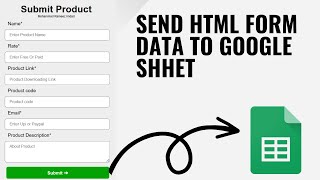
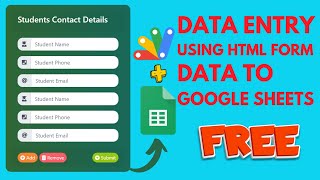
How to Submit / Send HTML Form Data to Google Sheets

FREE034 Forms & Data Entry Premium Plan Weekly Plan VIP Premium Plan
❀️
Need a Custom Business Solution?
Connect with us on WhatsApp to discuss your requirements. Our team will design and develop a tailored software solution aligned with your business workflow, operational needs, and growth objectives.
How to Submit / Send HTML Form Data to Google Sheets

Key Features

Custom HTML form writing straight to the sheet Google account of the submitter recorded automatically Submitter email visible in the sheet alongside the record Name country city state and zip fields Fields extended by editing plain HTML No sheet URL or ID to paste anywhere Script bound to the sheet so it links itself Styling and form effects in the index file Confirmation after a record is added Deployment updated after any code change

Description

FREE034 is a custom HTML form that writes straight into your Google Sheet and stamps every entry with the Google account of whoever submitted it. Nobody types their own name into a name box β€” the email is taken from the signed-in account, so the log records who actually made the entry.

Why the captured email matters

A gate register, a reception log, a stock issue slip: all of them are only useful if you can tell who recorded each line. A typed name is a guess and it can be anything. The account email is collected by the script itself, so the entry and the person behind it stay tied together without adding a field for it.

Your own form, not a Google Form

The interface is plain HTML you control β€” your own layout, your own field order, your own look. Google Forms hands you its layout; this hands you the file. Fields are added by putting the input on the page and naming the column it writes to.

No sheet ID to paste

The script is bound to the spreadsheet, so it already knows which file it belongs to. There is no ID to copy from a URL and nothing to re-point when you make a copy. Open Extensions, Apps Script, paste, deploy.

Worth knowing before you deploy

Because the email is read from the signed-in account, viewers must be signed in to Google when they open the link β€” deploy it for the people in your organisation or for anyone with a Google account, not for anonymous access. That is the trade for knowing who submitted what.

Requirements

  • A Google account with Drive and Sheets
  • Your own copy of the provided spreadsheet
  • The script added through Extensions then Apps Script on that sheet
  • Deployed with access that requires the visitor to be signed in
  • Column headers matching the form fields

What's Included

  • Complete Apps Script code for the form and the write
  • Custom HTML form file you can lay out yourself
  • Submitter's Google account email captured automatically
  • Entries appended to your sheet with a timestamp
  • Bound script so no spreadsheet ID is needed
  • Steps for adding your own fields and columns
  • Deployment steps for the web app
  • Step-by-step video walkthrough of the full build
  • Free support from the developer

Item Details

Versionv1.0
PublishedAug 22, 2025
PlatformGoogle Apps Script
DatabaseGoogle Sheets
CategoryForms & Data Entry
Tagssubmit html form data to google sheetssend form data to google sheet apps scriptcapture submitter email google sheetsvisitor gate entry log sheetsreception log web app apps scriptcustom html form to sheetno sheet id needed apps scriptbound script form google sheets
VideoWatch walkthrough
LicenseRegular License
Subscription Verification Required
This is a free file. Subscribe to our YouTube channel to unlock the source code + Google Sheet. One click β€” no payment. Google only confirms you are subscribed.
Verify Now
Free download

Subscribe & Unlock Source Code

Subscribe on YouTube, then verify with one click. No payment, no card. Google is used only to confirm your subscription.

What you get

  • Code.gs + HTML filesThe complete Apps Script project
  • Google SheetYour own copy with the data
  • Setup guideInstall steps from start to finish

Not subscribed yet? Subscribe to our channel

Browse More Free Files

Need This Customized For Your Business?

Extra modules, your branding, integrations or reports built on top of this file. You get a clear quote and timeline before any work starts, and support after delivery.

400+
Projects Delivered
89+
Countries Served

What We Customize

Features & Functions
Add new features, modify existing scripts, custom formulas & automations
API & Integrations
Connect with WhatsApp, Payment Gateways, CRM & more
Design & UI Changes
Custom branding, layout redesign, dark mode, mobile optimization
Full Custom Projects
Dashboards, billing systems, inventory, CRM β€” built from scratch
Get Free Quote on WhatsApp

20-30% advance to start β€’ Clear quote before work begins β€’ Support included after delivery

Free
Source Code File

People choose these

Paid picks from the same category

Multi-Level Dependent Dropdown Form | Google Apps Script Tutorial | B22 Multi-Level Dependent Dropdown Form | Google Apps Script Tutorial | B22 59 views this month Apps Script I Built an NFC Attendance System with AI (PHP & MySQL) I Built an NFC Attendance System with AI (PHP & MySQL) 76 views this month PHP Build a Complete Billing & Invoicing SaaS System With Claude AI Build a Complete Billing & Invoicing SaaS System With Claude AI 315 views this month PHP

Reviews & Feedback

What buyers and viewers say about How to Submit / Send HTML Form Data to Google Sheets.

No star ratings yet Tap a star to be the first to rate it.
3 comments from
YouTube viewers
Sort
@healthadvisor6969 via YouTube
Kya is form me 2 action laga sakte hai ek data save karne ke liye aur dusra payment gateway par data post karne ke liye
1 like on YouTube
@nareshveerwal via YouTube
College admission form kese banega html me with successful payment and transaction I'd.
1 like on YouTube
@PranavPramod_ via YouTube
Sir. How to set this same form as login with email and password manually type and this form can be edited by users after typing plz make a video Like a school registration system for alotment
1 like on YouTube