Need a customized project? We build it to your exact requirements.Contact us on WhatsApp

Free Upload File to Google Drive & Insert Data in Sheets

R21 Forms & Data Entry Premium Plan Weekly Plan VIP Premium Plan
❀️
Need a Custom Business Solution?
Connect with us on WhatsApp to discuss your requirements. Our team will design and develop a tailored software solution aligned with your business workflow, operational needs, and growth objectives.
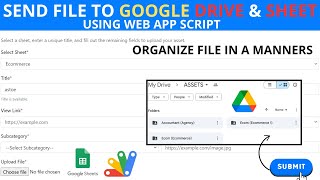
How to upload file to google drive and insert data into spreadsheet using Google Apps Script? | R21
You get
  • Google Sheet link
  • Source code file
  • Resale rights
  • Edit rights
  • Setup guide
  • AI setup help

Key Features

File uploaded straight into your Google Drive Form data written into the spreadsheet at the same time Each record paired with its uploaded file Files kept in a Drive folder you nominate One ID pasted into the code during setup Code already inside the shared sheet Deployed as a Google Apps Script web app Source also published on GitHub

Description

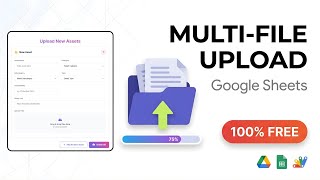
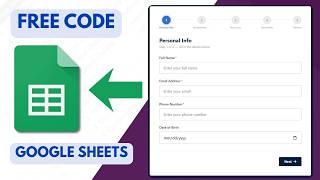
R21 is the small piece a lot of projects turn out to need: a form that accepts a file and a set of details together, drops the file into your Google Drive and writes the details into your spreadsheet in the same submission.

The record and the file stay together

Handled separately, these two drift apart. Files land in a Drive folder with names nobody can trace, and the sheet ends up with rows that reference documents nobody can find. Doing both in one submission is what keeps a row and its attachment connected β€” a CV with its application, a receipt with its claim, an ID scan with its registration.

Everything stays in your account

The file goes to a Drive folder you nominate and the data goes to your own spreadsheet. There is no third-party storage in the middle, no upload service to pay for and nothing about the submission leaving your Google account.

A short setup

Make a copy of the sheet and the code is already inside it under Extensions. The only change to make is pasting in your own ID where the code expects it, then save, run it once to authorise, and create a new deployment as a web app. The URL that comes back is the form. The source is also published on GitHub if you would rather read it there before running anything.

Where it fits

Treat it as a building block rather than a finished application. It is the upload half of a bigger build β€” pair it with one of the login files here to control who can submit, or with a table file to display what has been collected.

Requirements

  • A Google account with Drive and Sheets
  • Your own copy of the provided spreadsheet
  • A Drive folder for the uploaded files
  • The ID pasted into the code where marked
  • Run the script once to authorise it
  • Deploy as a web app and share the form link

What's Included

  • Complete Apps Script code already inside the sheet
  • Google Sheet set up to receive the records
  • Upload form writing to Drive and the sheet together
  • Storage into a Drive folder you choose
  • Setup notes for the ID replacement
  • Deployment steps for the web app
  • Source also published on GitHub
  • Step-by-step video walkthrough of the full build
  • Free support from the developer

Item Details

Versionv1.0
PublishedAug 22, 2025
PlatformGoogle Apps Script
DatabaseGoogle Sheets
CategoryForms & Data Entry
Tagsupload file to google drive apps scriptupload files to google drive with datainsert data into spreadsheet from formfile upload form google sheetshtml form file upload google driveapps script drive upload web appattach file to sheet recorddocument upload portal apps script
VideoWatch walkthrough
LicenseRegular License
Subscription Verification Required
This is a free file. Subscribe to our YouTube channel to unlock the source code + Google Sheet. One click β€” no payment. Google only confirms you are subscribed.
Verify Now
Free download

Subscribe & Unlock Source Code

Subscribe on YouTube, then verify with one click. No payment, no card. Google is used only to confirm your subscription.

What you get

  • Code.gs + HTML filesThe complete Apps Script project
  • Google SheetYour own copy with the data
  • Setup guideInstall steps from start to finish

Not subscribed yet? Subscribe to our channel
Browse More Free Files

Need This Customized For Your Business?

Extra modules, your branding, integrations or reports built on top of this file. You get a clear quote and timeline before any work starts, and support after delivery.

400+
Projects Delivered
91+
Countries Served

What We Customize

Features & Functions
Add new features, modify existing scripts, custom formulas & automations
API & Integrations
Connect with WhatsApp, Payment Gateways, CRM & more
Design & UI Changes
Custom branding, layout redesign, dark mode, mobile optimization
Full Custom Projects
Dashboards, billing systems, inventory, CRM β€” built from scratch
Get Free Quote on WhatsApp

20-30% advance to start β€’ Clear quote before work begins β€’ Support included after delivery

Free
Source Code File

People choose these

Paid picks from the same category

Multi-Level Dependent Dropdown Form | Google Apps Script Tutorial | B22 Multi-Level Dependent Dropdown Form | Google Apps Script Tutorial | B22 49 views this month Apps Script Grocery Store POS System with Barcode Scanner | Google Sheet POS + Apps Script + AI Grocery Store POS System with Barcode Scanner | Google Sheet POS + Apps Script + AI 233 views this month Apps Script How to Build an App with Claude AI: Complete Church Management System in Google Sheets How to Build an App with Claude AI: Complete Church Management System in Google Sheets 161 views this month Apps Script


Reviews & Feedback

What buyers and viewers say about How to upload file to google drive and insert data into spreadsheet using Google Apps Script? | R21.

No reviews yet β€” be the first to review How to upload file to google drive and insert data into spreadsheet using Google Apps Script? | R21.