
 @Finaa-aa
via YouTube
@Finaa-aa
via YouTube
Isko wapis html code me view kaise karaye

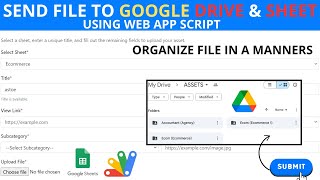
FREE003 collects files from other people. Someone fills in the short form, attaches a document or an image, and two things happen at once: the file goes into your Google Drive folder, and a row appears in your sheet recording who sent it, what the file was called and when it arrived.
A folder full of uploads is not much use if nobody knows who sent what. Because the sheet logs the submitter's details alongside the file name and the timestamp, you can look at a person and see everything they have sent — the walkthrough demonstrates exactly that, with one contact building up several documents across separate submissions.
Files land in a folder you nominate by pasting its ID into the code. No third-party upload service, nothing you are paying per gigabyte for, and nothing about your contacts leaving your Google account.
The form clears itself after a submission so the next person starts clean. The sheet's column headings are yours to label — the walkthrough adds them live, which is worth copying so the record reads properly from the start. The CSS is editable if the form should match your own branding.
Copy the sheet, create the Drive folder you want the uploads to go to, copy its ID and paste it into the code. One thing to watch: the file name referenced in the code has to match, and a mismatch throws an error on the first load — the walkthrough hits that on camera and fixes it in seconds.
| Version | v1.0 |
| Published | Aug 22, 2025 |
| Platform | Google Apps Script |
| Database | Google Sheets |
| Category | Forms & Data Entry |
| Tags | |
| Video | Watch walkthrough |
| License | Regular License |
Subscribe on YouTube, then verify with one click. No payment, no card. Google is used only to confirm your subscription.
What you get
Not subscribed yet? Subscribe to our channel
Extra modules, your branding, integrations or reports built on top of this file. You get a clear quote and timeline before any work starts, and support after delivery.
20–30% advance to start · Clear quote before work begins · Support after delivery
What we customize
Paid picks from the same category
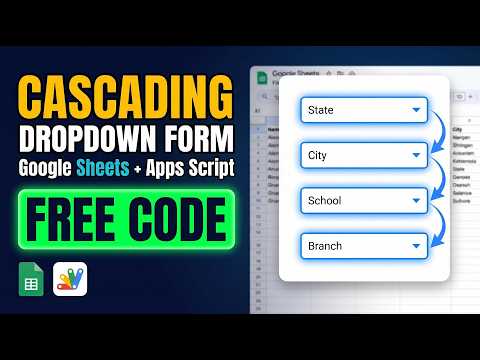 Multi-Level Dependent Dropdown Form | Google Apps Script Tutorial | B22
51 views this month
Multi-Level Dependent Dropdown Form | Google Apps Script Tutorial | B22
51 views this month
 Grocery Store POS System with Barcode Scanner | Google Sheet POS + Apps Script + AI
380 views this month
Grocery Store POS System with Barcode Scanner | Google Sheet POS + Apps Script + AI
380 views this month
 How to Build an App with Claude AI: Complete Church Management System in Google Sheets
187 views this month
How to Build an App with Claude AI: Complete Church Management System in Google Sheets
187 views this month
What buyers and YouTube viewers say about this project.
@Finaa-aa
via YouTube
 @rexxelmercado8414
via YouTube
@rexxelmercado8414
via YouTube
 @AlokeDas-o3r
via YouTube
@AlokeDas-o3r
via YouTube
 @tarigabdallakbashifadulalm637
via YouTube
@tarigabdallakbashifadulalm637
via YouTube
 @Mynkify_Muzik
via YouTube
@Mynkify_Muzik
via YouTube
 @makelifeeasy1917
via YouTube
@makelifeeasy1917
via YouTube
 @SHREYASH-dl7ki
via YouTube
@SHREYASH-dl7ki
via YouTube
 @smr8854
via YouTube
@smr8854
via YouTube